
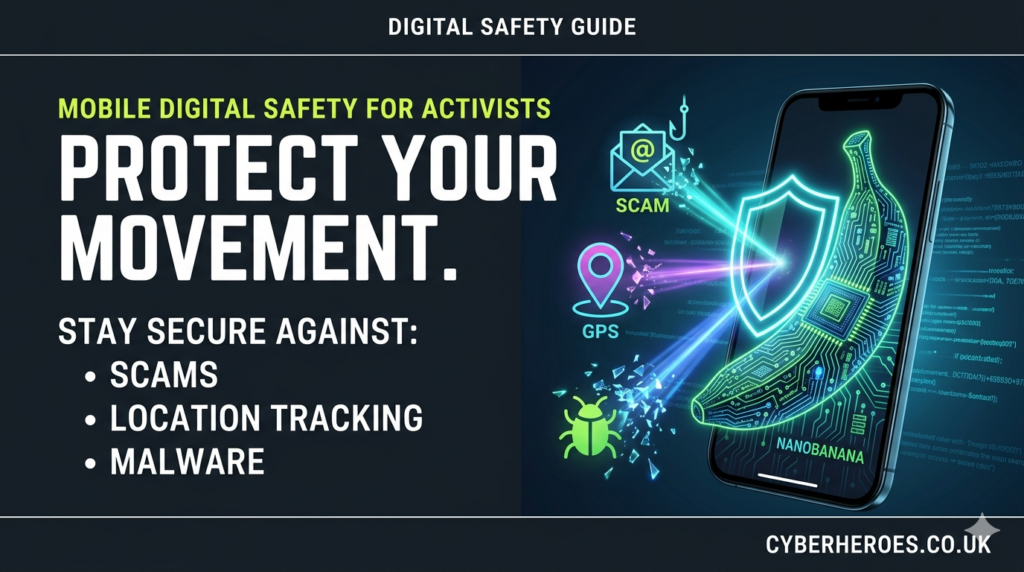
If you are involved in campaigning or activism, your mobile phone is one of your most powerful tools – and one of your biggest liabilities. Cybercriminals, hostile groups and even state actors increasingly use scams, malware and subtle data collection to monitor movements, map networks and compromise sensitive information stored on phones.[1][2][3][4]
This guide explains the key risks to activists’ mobiles – from phishing attacks to metadata and public Wi‑Fi – and the practical steps you can take to stay safer on both Android and iPhone.[2:1][5][1:1]
Why activists are high‑value targets
For most people, a scam text or virus is primarily about money. For activists and human rights defenders, the stakes can include physical safety, reputational damage and the success of entire campaigns.[6][3:1]
Research and guidance for journalists and activists highlight that phones now hold contacts, location history, private chats, photos of events and access to organisational accounts, making them a rich source of intelligence for adversaries. Even when your messages are encrypted, the surrounding “metadata” – who you talk to, when and from where – can reveal networks and patterns if it is collected over time.[7][8][4:1][6:1][2:2]
Common threats to activists’ phones
Understanding how attackers operate helps you spot and block them earlier. Current guidance emphasises several fast‑growing mobile threats:[9][1:2]
- Phishing and smishing: Fraudulent emails, messages or texts (SMS, WhatsApp, Signal, social media DMs) that trick you into clicking malicious links or entering passwords on fake sites.[10][1:3]
- Malicious apps and spyware: Fake apps and trojanised installers that look like news, delivery or finance tools but are designed to steal credentials, read messages or track your location.[1:4][9:1]
- SIM‑swapping and account takeover: Attackers persuade or bribe telecom staff to move your number to their SIM, intercepting calls and SMS‑based codes, then using them to reset account passwords.[1:5]
- Insecure public Wi‑Fi: Open networks in cafés, stations or hotels that allow others on the same network – or a rogue hotspot – to intercept traffic or inject malicious content if you browse without protection.[11][4:2][2:3]
In the UK, the National Cyber Security Centre (NCSC) repeatedly warns that small organisations and campaign groups face the same kinds of scams as larger institutions, just with fewer resources to detect or respond.[5:1]
Lock down your device and accounts
Basic device hardening dramatically reduces your exposure, especially when combined with good habits.[9:2][5:2][1:6]
- Use a strong screen lock: Prefer a long passcode plus biometric unlock (fingerprint or face) instead of simple 4‑digit PINs or easy patterns.[1:7]
- Enable full‑disk encryption: Modern Android and iOS devices encrypt storage by default, but only if you use a secure lock; double‑check this is enabled in settings.[9:3]
- Keep everything updated: Turn on automatic updates for your operating system and apps; vendors regularly patch serious mobile vulnerabilities that attackers actively exploit.[9:4][1:8]
- Turn on multi‑factor authentication (MFA): Protect email, social media and cloud storage with an authenticator app or hardware key wherever possible, not just SMS codes.[5:3][1:9]
- Review app permissions: Periodically audit which apps can access your camera, microphone, location, contacts and SMS, revoking anything that looks unnecessary.[12][1:10]
Following these steps mirrors official guidance to small organisations and NGOs and significantly raises the cost for anyone trying to compromise your phone.[3:2][5:4]
Safer communication habits
Technology alone cannot secure you if those around you have weak practices. Activist and journalist security trainers stress that your security is only as strong as the least‑secure person in your group.[7:1][3:3]
- Use end‑to‑end encrypted apps by default: Tools like Signal and similar secure messengers prevent intermediaries from reading message content, even if they intercept it.[8:1][6:2]
- Reduce what you share: Treat location tags, photos of faces, screenshots and internal documents as highly sensitive; send only what is strictly necessary.[2:4][7:2]
- Segment identities: Where possible, separate personal, activist and organisational accounts, and avoid re‑using the same passwords or phone numbers across all roles.[3:4][5:5]
- Train your network: Run short sessions teaching colleagues and volunteers how to spot phishing, manage updates and enable MFA, so they do not become the weak link.[7:3][3:5]
Several activist‑focused guides emphasise that this behavioural shift – sharing less, thinking before you click and aligning the whole group on basic security norms – is often more impactful than any single app.[3:6][7:4]
Public Wi‑Fi, metadata and browser fingerprinting
Public and guest Wi‑Fi remain convenient but risky. Traffic on open networks can often be monitored or tampered with, especially if websites are not properly secured or you are using older apps. Journalistic safety handbooks now explicitly advise against connecting to Wi‑Fi without a trustworthy VPN, particularly when working on sensitive stories or in hostile environments.[4:3][11:1][2:5]
Two often‑overlooked sources of exposure on mobile are:
- Metadata: Even if your chats are encrypted, network logs can show who communicated with whom, from what IP address, and at what time, revealing patterns about your activities, movements and contacts.[2:6][7:5]
- Browser fingerprinting: Websites and advertisers can build a unique “fingerprint” of your device by combining details like browser version, fonts, screen size and language settings, which can be used to track you across sessions.[6:3][8:2]
To limit these risks on your phone: use privacy‑focused browsers with anti‑tracking features, clear cookies regularly, disable unnecessary browser plugins and consider using a reputable VPN, especially when you have to rely on public networks.[4:4][6:4][2:7]
Extra tools for high‑risk users
Beyond core hygiene, high‑risk users such as activists, journalists and human rights defenders can benefit from a curated toolkit of privacy‑first apps and security training materials. Resources put together with input from international experts highlight secure messaging, hardened browsers, anti‑spyware tools and guides to handling internet shutdowns and online harassment.[8:3][6:5][4:5][3:7]
For a deeper dive into threat models, operational security (OPSEC) and over 40 recommended tools tailored specifically to activists, it is worth exploring specialist “Digital Safety for Activists” resource hubs created in partnership with frontline organisations. Combining those resources with UK‑focused guidance from bodies like the NCSC gives campaigners a practical roadmap for protecting their phones against scams, phishing, viruses and more targeted surveillance.[^13][6:6][8:4][5:6][4:6][3:8]
You can adjust headings and internal links to match your existing content structure on CyberHeroes, and use anchor text like “digital safety for activists” or “OPSEC guide for activists” when you add the outbound link to the resource.
https://www.quickheal.com/blogs/why-fraudsters-target-mobile-devices-and-how-to-defend-against-it/ ↩︎ ↩︎ ↩︎ ↩︎ ↩︎ ↩︎ ↩︎ ↩︎ ↩︎ ↩︎ ↩︎
https://autonomynews.org/an-activists-guide-to-online-privacy/ ↩︎ ↩︎ ↩︎ ↩︎ ↩︎ ↩︎ ↩︎ ↩︎
https://groups.friendsoftheearth.uk/digital-security-activists ↩︎ ↩︎ ↩︎ ↩︎ ↩︎ ↩︎ ↩︎ ↩︎ ↩︎
https://www.ncsc.gov.uk/collection/small-organisations-guide-to-cyber-security ↩︎ ↩︎ ↩︎ ↩︎ ↩︎ ↩︎ ↩︎
https://www.techradar.com/pro/vpn/data-privacy-top-vpn-helps-journalists-and-activists-to-stay-safe-online ↩︎ ↩︎ ↩︎ ↩︎ ↩︎ ↩︎ ↩︎
https://www.expressvpn.com/blog/activist-protect-privacy-security-guide/ ↩︎ ↩︎ ↩︎ ↩︎ ↩︎ ↩︎
https://www.expressvpn.com/wp-ws/uploads/2024/01/Digital-security-resource-library-23-Jan-2024.pdf ↩︎ ↩︎ ↩︎ ↩︎ ↩︎
https://www.inky.com/en/blog/how-to-prevent-phishing-attacks-on-mobile-devices ↩︎
https://www.friendlywifi.com/single-post/strengthening-public-wifi-safety-supporting-ofcom-s-online-safety-initiative ↩︎ ↩︎
https://www.csa.gov.sg/our-programmes/cybersecurity-outreach/cybersecurity-campaigns/the-unseen-enemy-campaign/add-scamshield-and-anti-virus-apps/ ↩︎
